Trace Labs Challenge #11
Hey everyone — 404Yeti here, back with Challenge #11 from Trace Labs.
This one shifts gears from maps and landmarks into a critical OSINT skill: accurate translation and verification.
This is where a lot of investigations go wrong — so we’re going to do it properly.
Objective
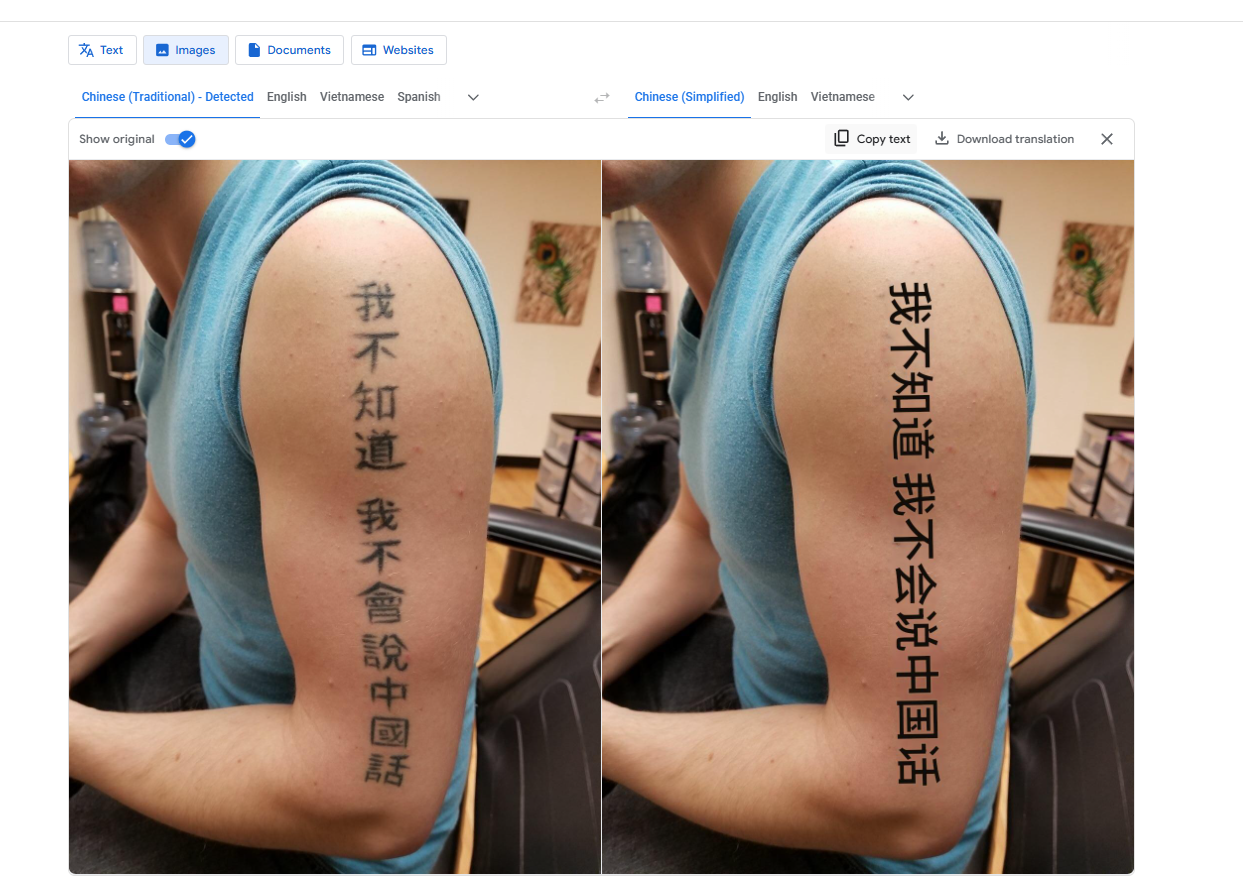
A recent tip included a photo of a tattoo written in Chinese found on someone potentially connected to a missing person.
Our task:
Translate the Chinese text accurately and determine whether the clue is relevant.
This isn’t just about translating — it’s about verifying meaning and intent.
Tools Used
- Google Translate
- Translate Shell (CLI translation tool)
- DeepL
- Google Search
- Du Chinese
Image:
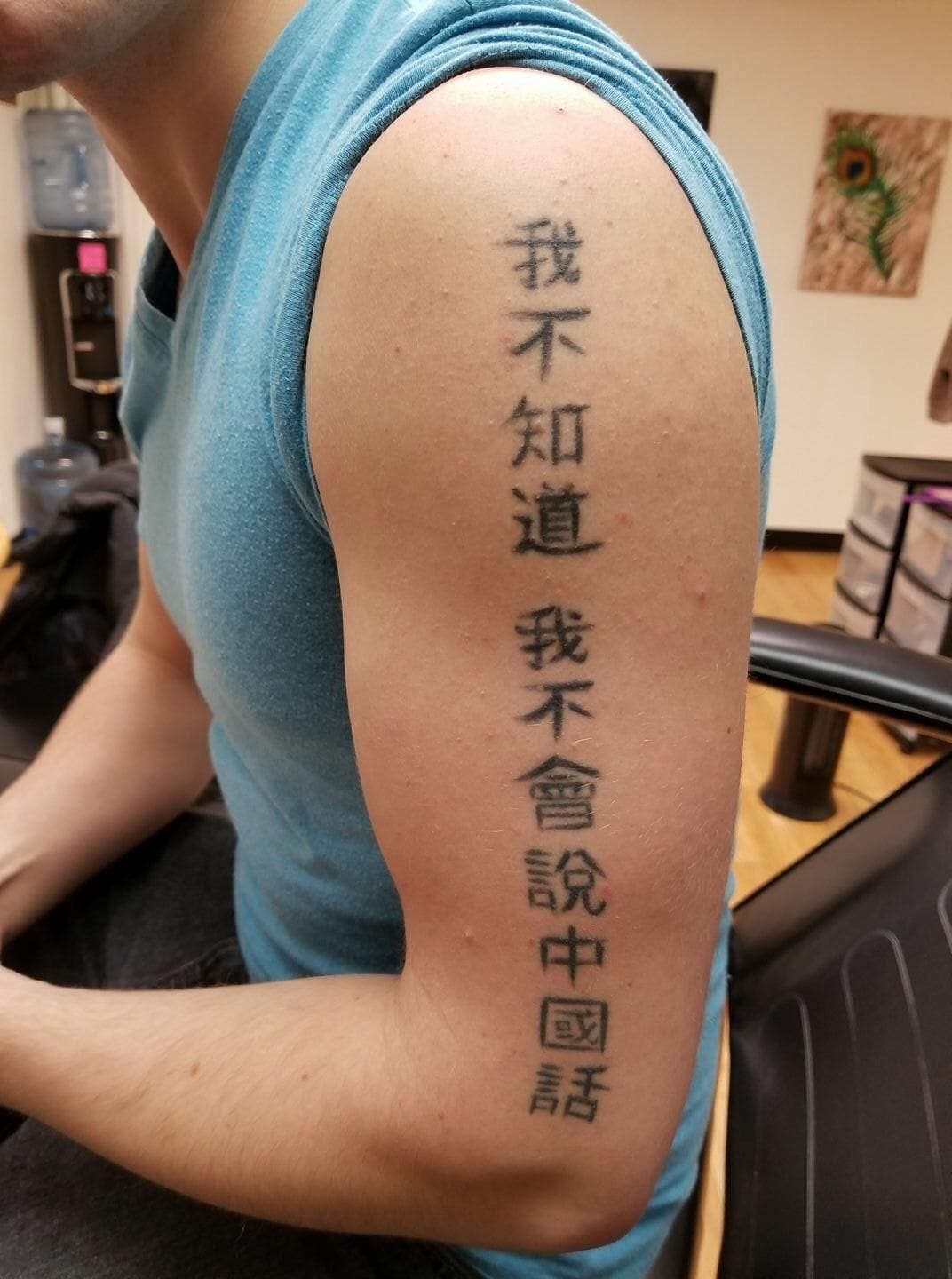
Step 1: Initial Translation with Google Translate
Google Translate has a very useful image-based translation feature, which makes it a solid starting point.
First upload your image

Process:
- Upload the image containing the tattoo
- Set the source language to Detect Language
- Let Google identify the text
- Click “Show Original” to view:
- Original Chinese text
- English translation side-by-side
🧊 Yeti Tip:
Always view the original characters, not just the translated output. You need the raw text for verification.
At this stage, we get a rough translation, but we do not trust it yet.
Step 2: Extract & Re-check the Original Text
Next, we:
- Switch the translation direction
- Copy the original Chinese characters
- Save them for cross-checking in other tools
This ensures we are testing the same text, not a reinterpreted version.
Step 3: Translate Using Translate Shell (CLI)
Now we move to Translate Shell, which breaks translations down more granularly.
Why this matters:
- CLI tools often expose structure
- You can see how words combine
- You spot ambiguity faster
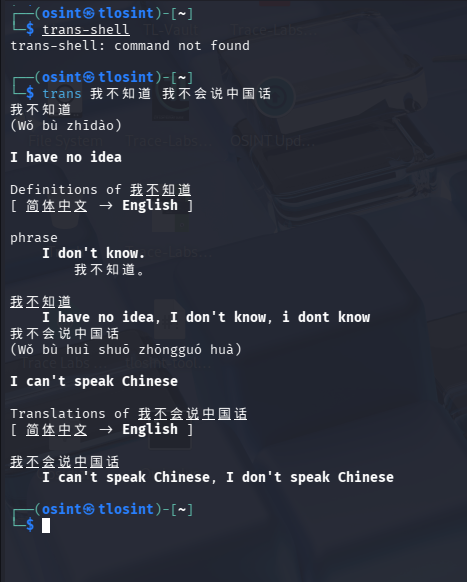
so translate-shell breaks down the text for use bit by bit so we can observe this. that is very helpful so we can how the language is used and how to use together
So we have a final translation of "I can't speak Chinese, I don't speak chinese" so we have some idea now but lets verify with deepl
Step 4: Verify with a Second Translator (DeepL)
Next, we paste the same Chinese text into DeepL.
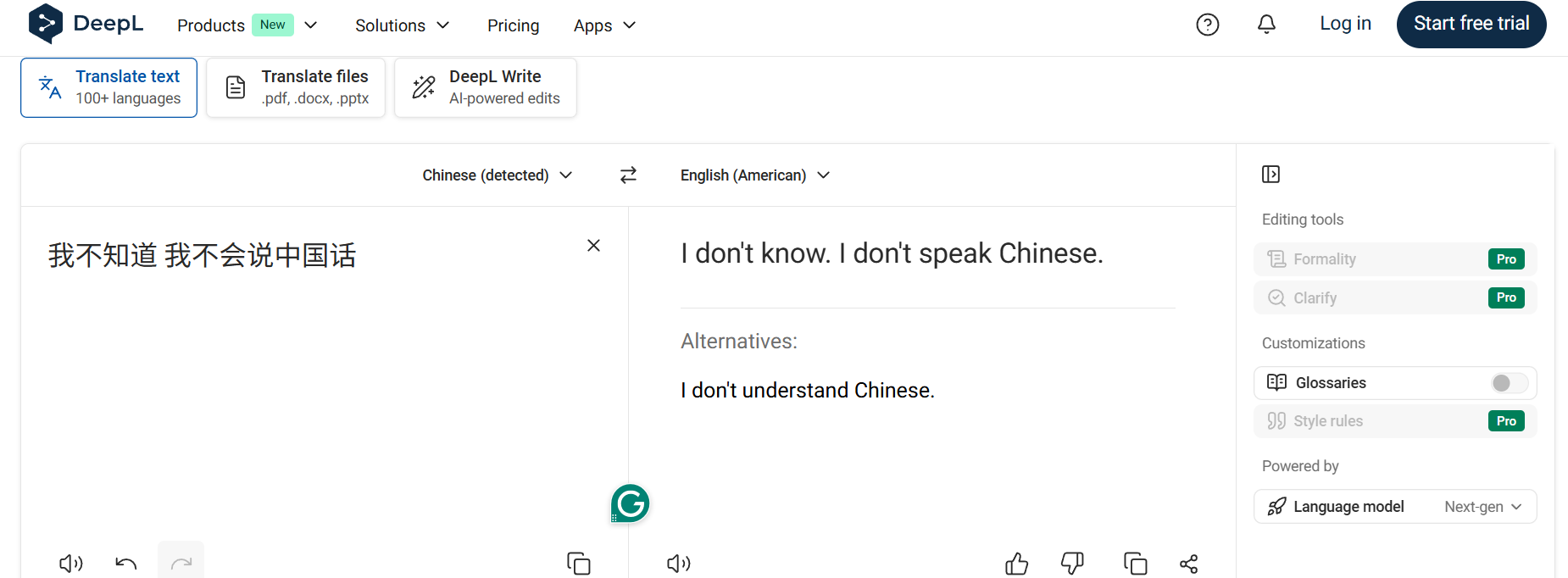
DeepL returns:
“I don’t know, I don’t speak Chinese.”
This is an important refinement:
- Sounds more natural
- Matches how native speakers phrase the idea
- Resolves ambiguity from earlier translations
At this point, we’re confident, but still not done.
Step 5: Real-World Usage Verification
Final step: verify that this phrase is actually used by real people.

so right away we see alot of translation for this phrase and mentions of this tattoo so this is a strong sign this is a pretty accurate phrase. Lets just click one to check.
We Google the exact Chinese phrase.
Immediately, we find:
- Blog posts
- Tattoo discussions
- Language-learning references
One strong confirmation comes from Du Chinese, which discusses this phrase as a real-world usage example.
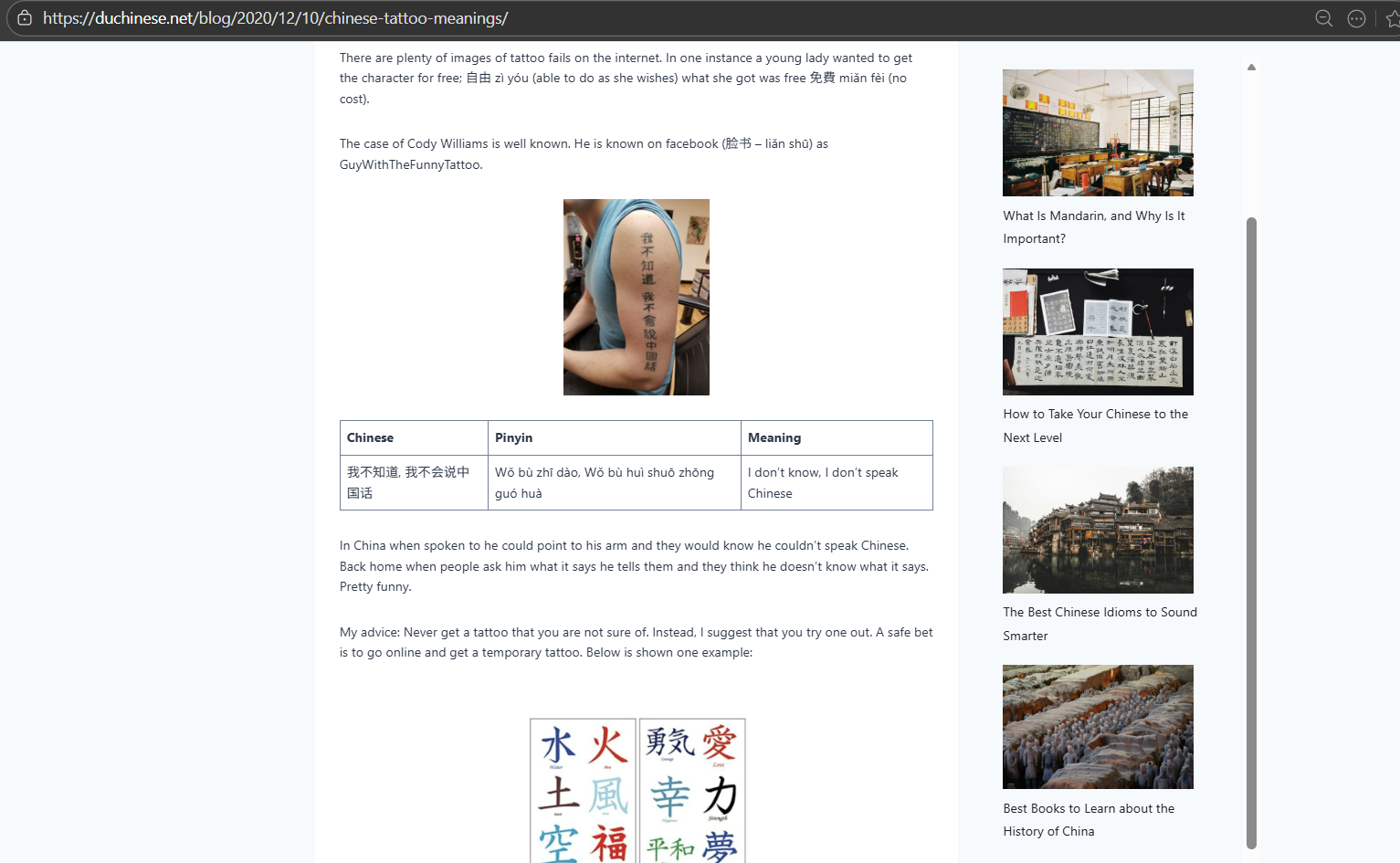
.
🧊 Bonus Insight:
This tattoo phrase is actually well-known online — often cited as a humorous or ironic tattoo choice.
Final Translation: “I don’t know, I don’t speak Chinese.”
Why This Matters in OSINT
Translation mistakes can:
- Mislead investigations
- Create false relevance
- Damage credibility in reports or court
Good OSINT translation means:
- Using multiple tools
- Verifying natural usage
- Understanding cultural context
- Never trusting a single output
This challenge perfectly demonstrates Language Intelligence (LANGINT) in action.
Final Thoughts from the Yeti
Translation isn’t about swapping words —
it’s about unlocking meaning responsibly.
If you can’t explain how you verified a translation,
you shouldn’t trust it.
Another challenge iced.
404Yeti out. 🐾❄️